Reflection
On-device AIWhat it held
You noticed the ordinary texture of an ordinary day and let it be enough.
How it landed
Tired but steady.
The one kept
You said the word “rest” like it needed permission.
Voice Journal · On Your iPhone
A private place to speak, and be reflected back to yourself — quietly, and only on your own iPhone.
Download on the App StoreiPhone · iOS 26 or later
How it works
No prompts to answer, no blank page to fill, no streak to protect. You talk; your iPhone processes the journal on the device.
Tap once and say what’s on your mind — for ten seconds or ten minutes. Pick it back up later and the same entry keeps growing.
Your iPhone transcribes you on device, in the language you journal in. Correct a misheard word if you like, then ask for a new reflection.
English and Portuguese have category-aware fallback text; other supported locales use your own words only.
A good day, honestly, even if nothing special happened. I want to be more present but I spent most of dinner half-listening. The weather turned and something in me turned with it.
A short reflection after each entry, where Apple Intelligence supports it. Weekly summaries help you revisit what repeated and what shifted.
In the app
Today, an entry, the week brought together, and a few switches — all on your iPhone.
In the app
Today, an entry, the week brought together, and a few switches — all on your iPhone.
Illustrative screens · fictional journal entries
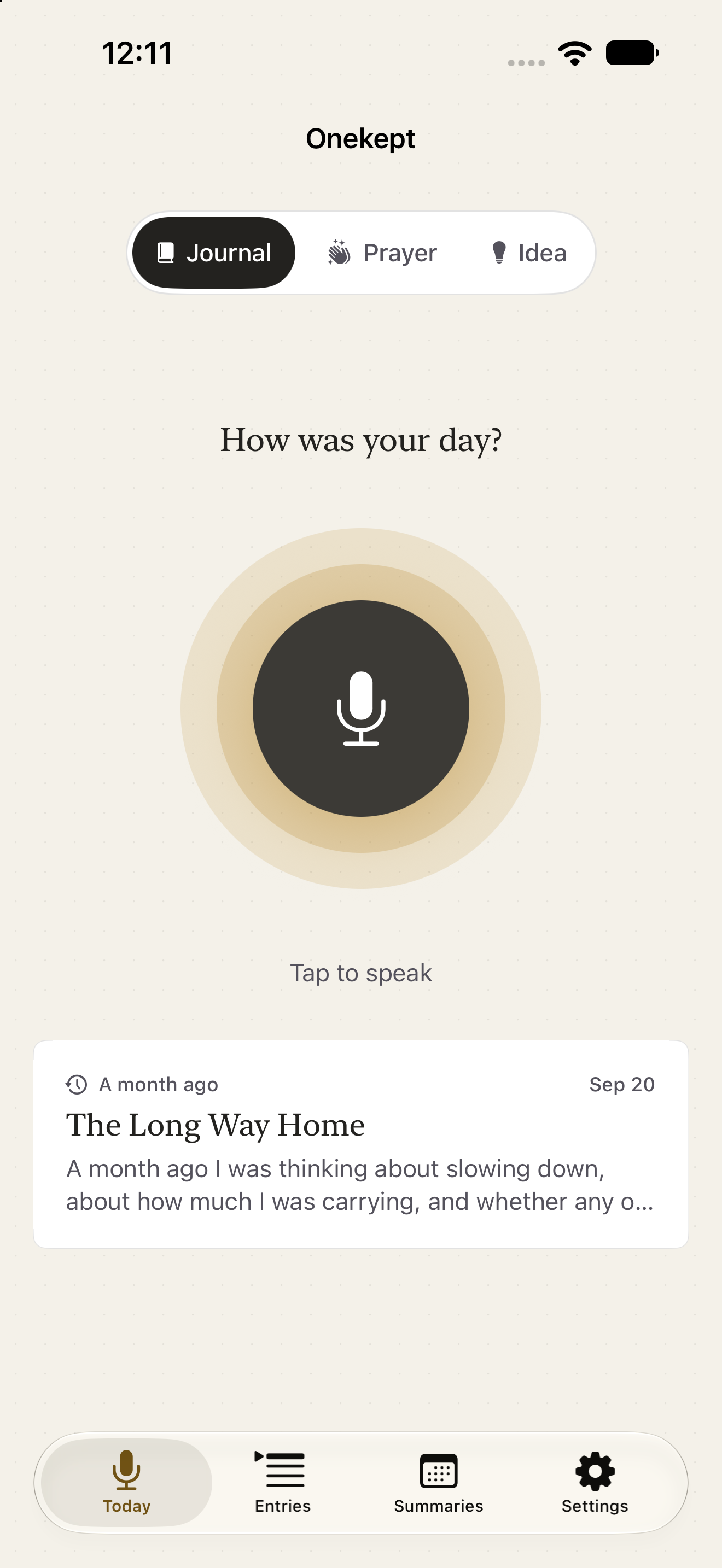
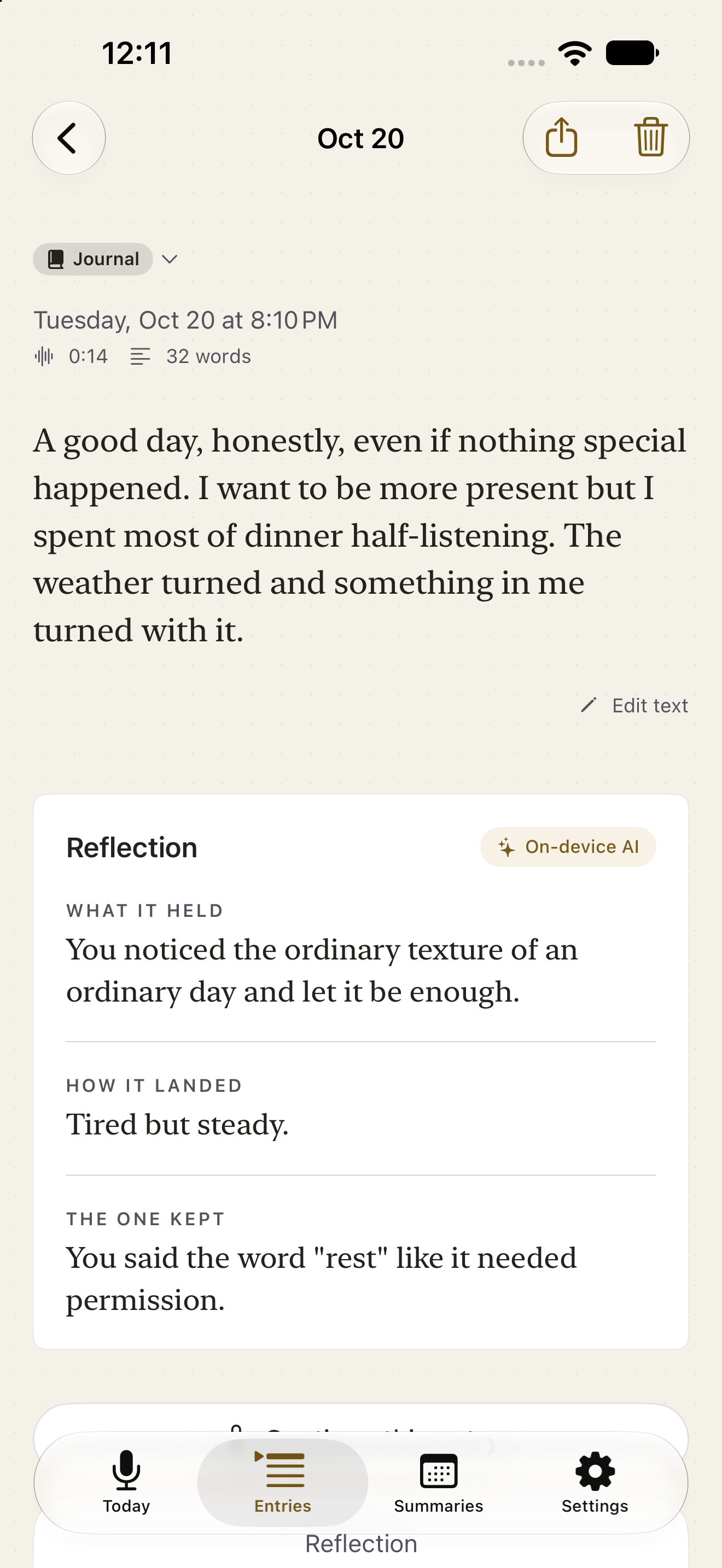
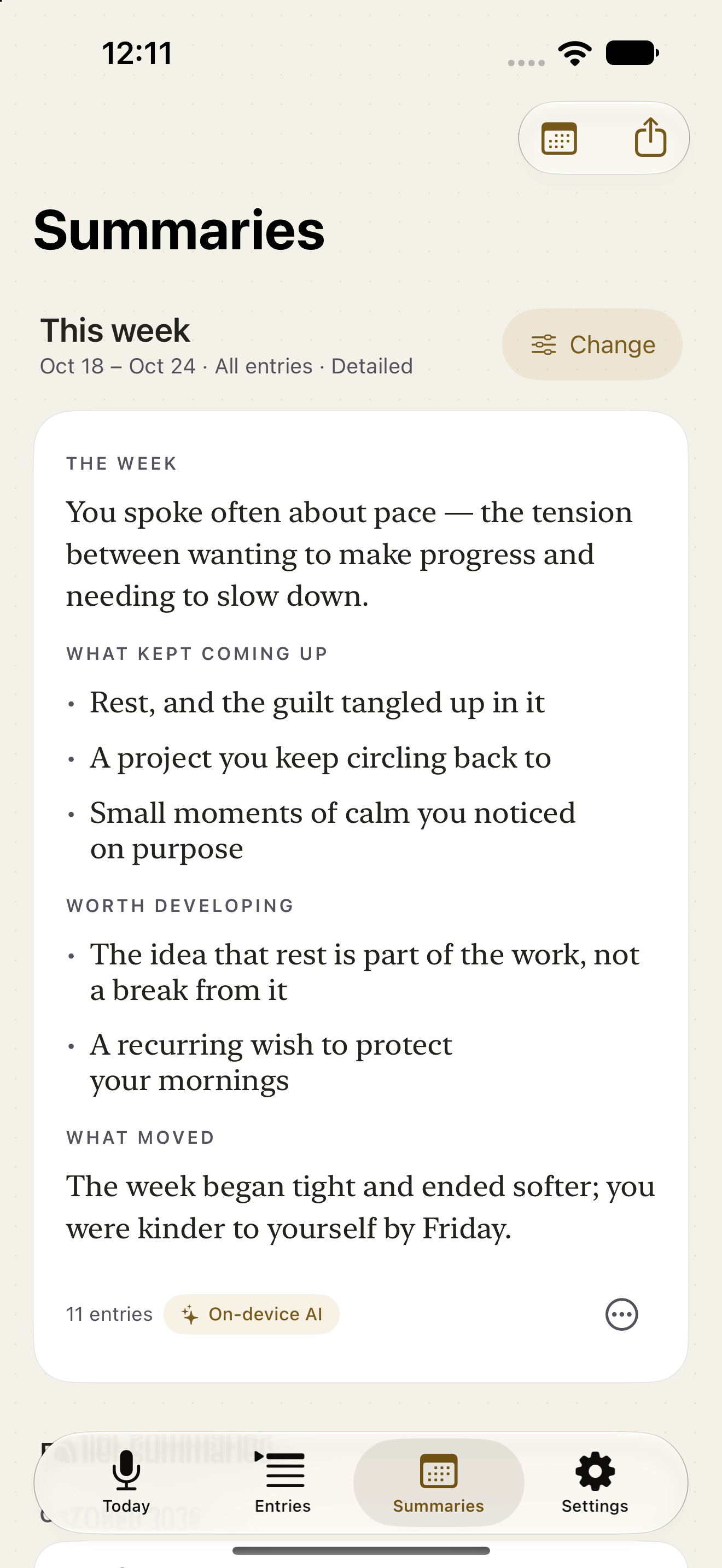
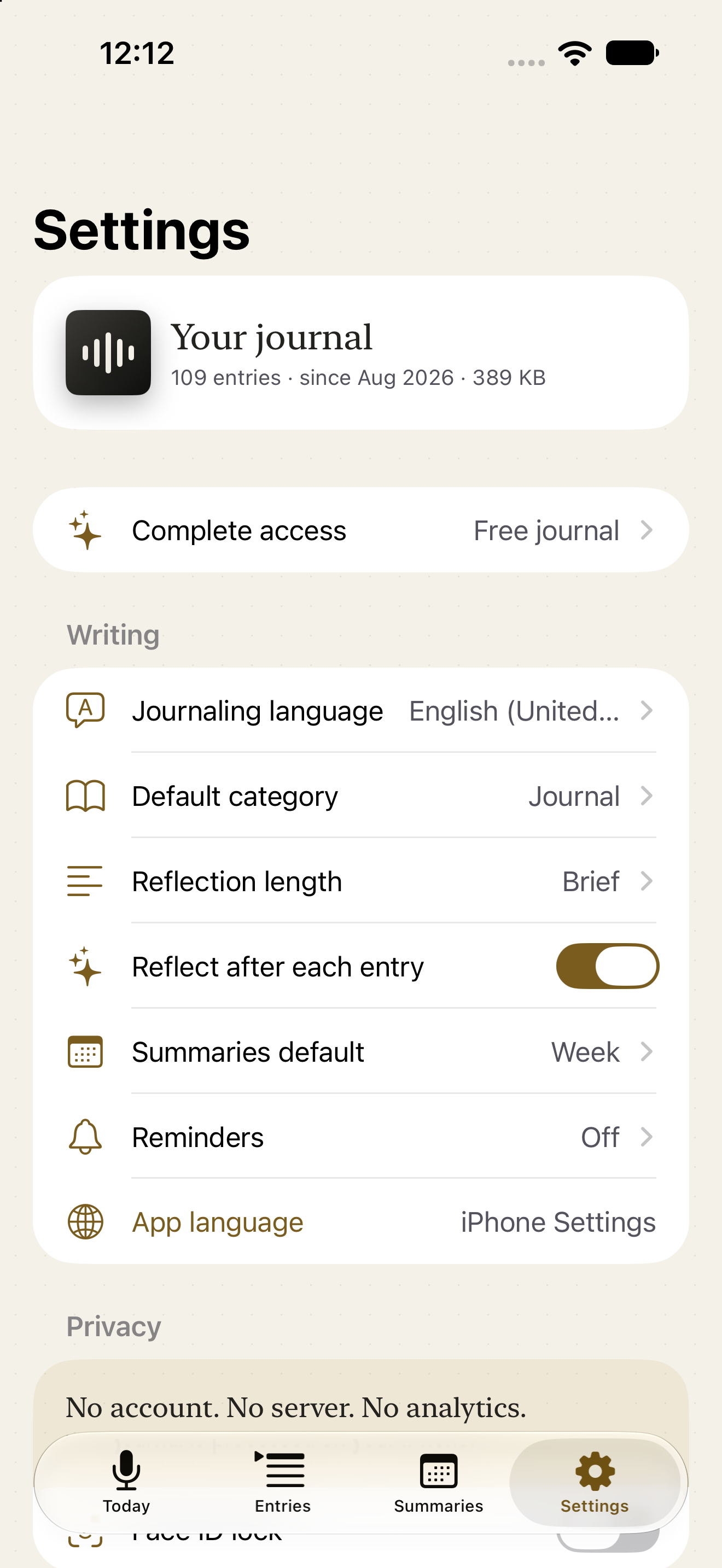
Illustrative screens · fictional journal entries
iPhone Duo
On the inner display of iPhone Duo, Onekept shows two pages side by side: the day beside the recorder, and your lists beside what you read.
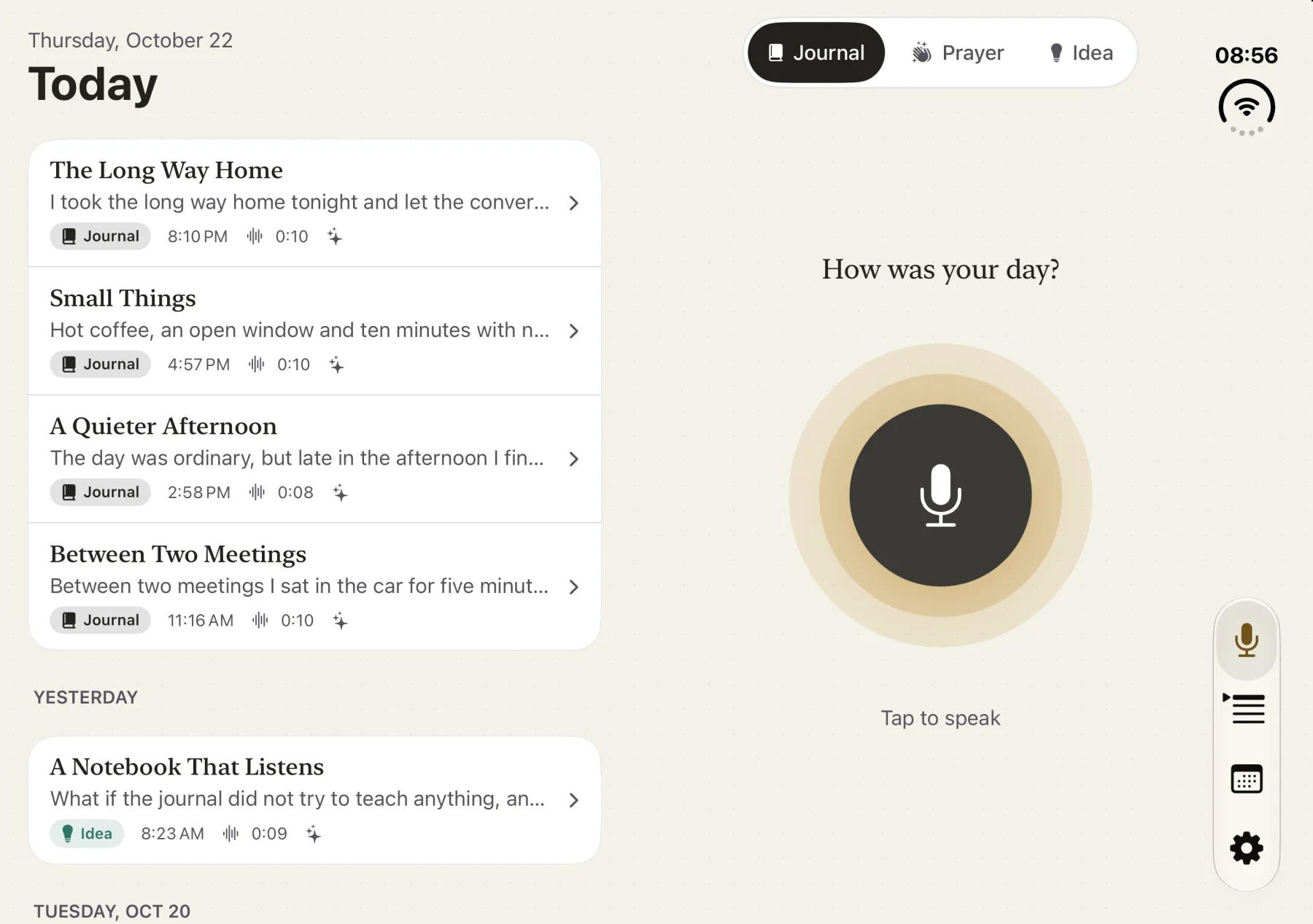
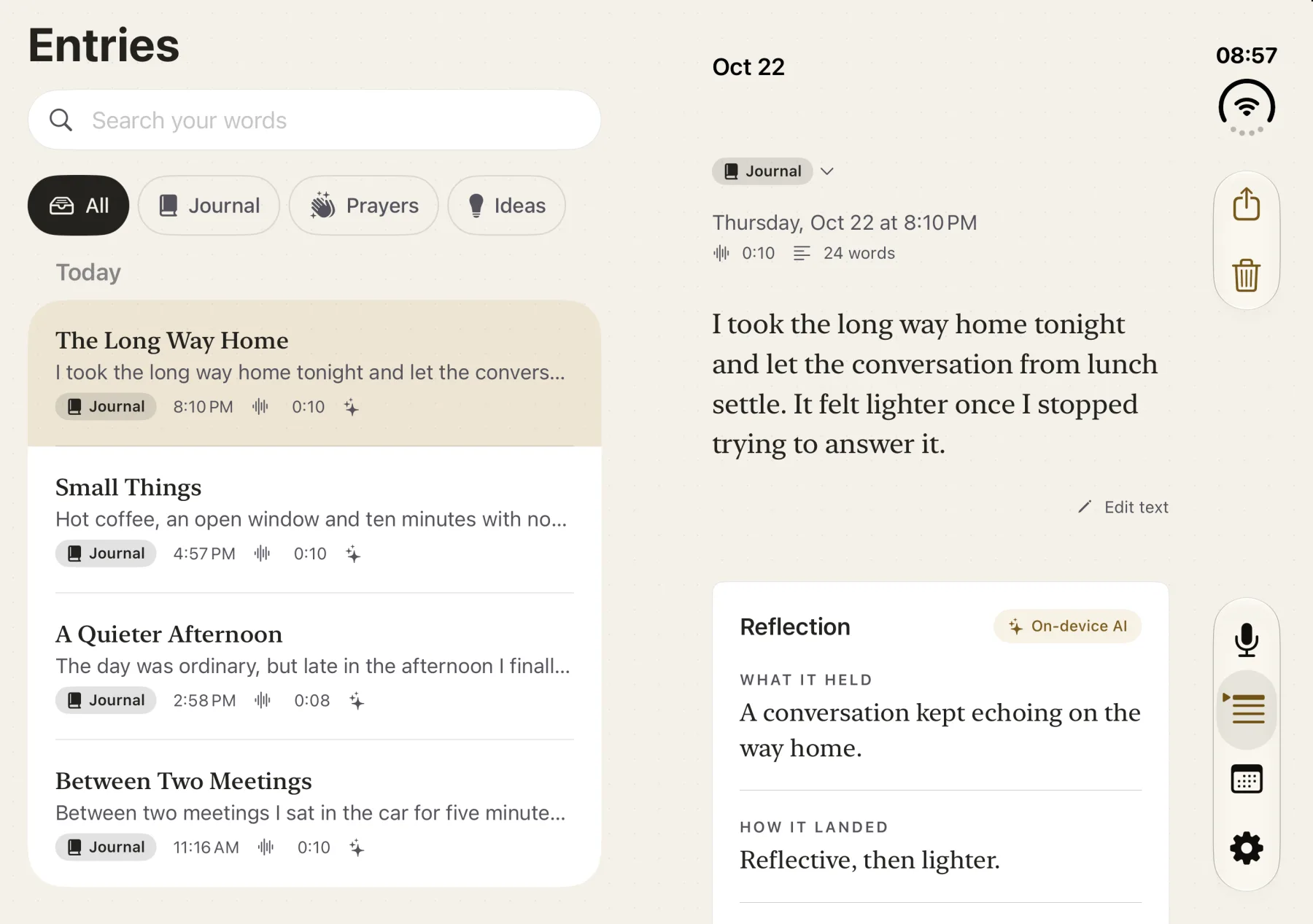
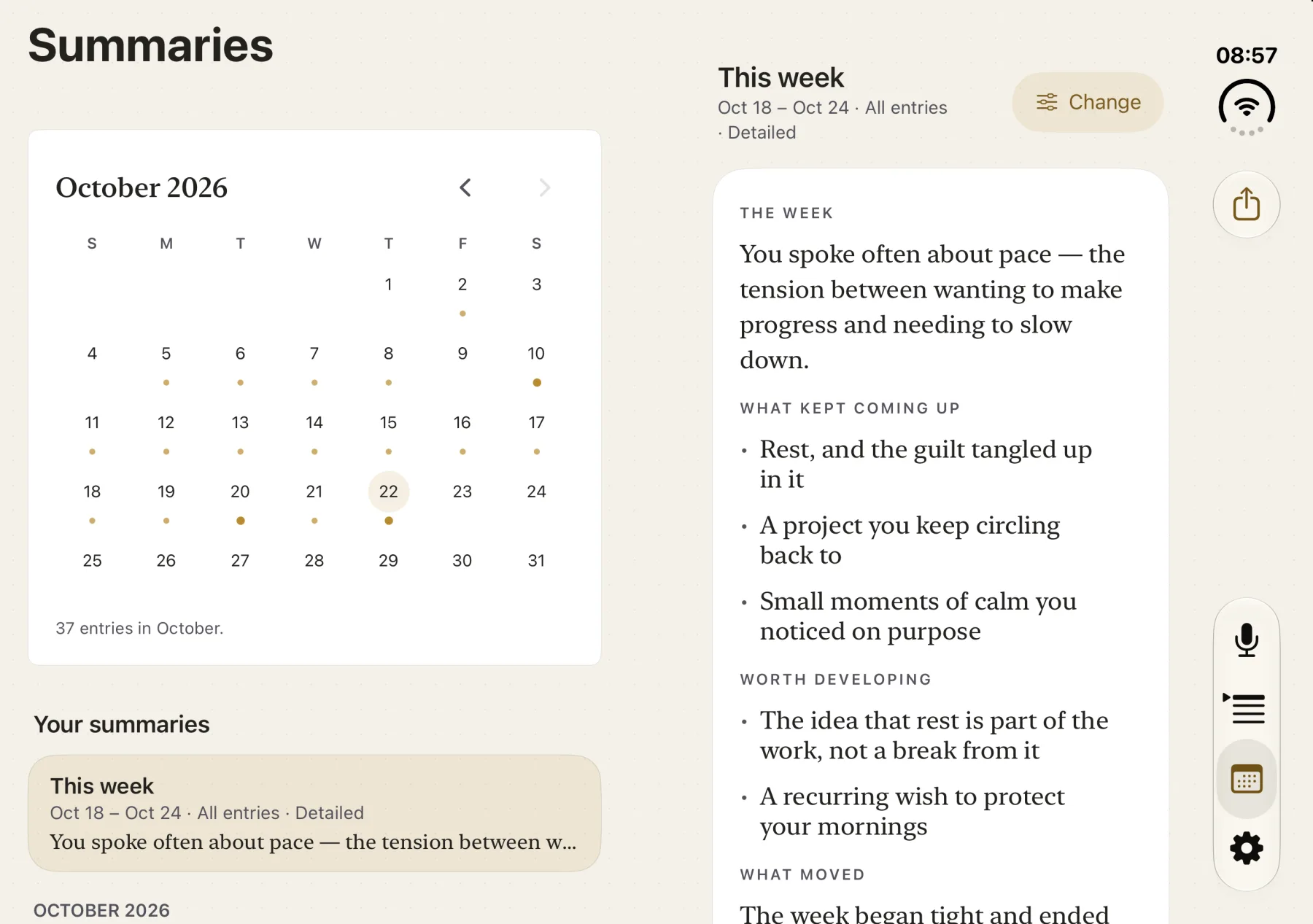
Illustrative screens · fictional journal entries
The reflection
Written from your entry, for personal reflection. Generated text can contain errors.
What it held
You noticed the ordinary texture of an ordinary day and let it be enough.
How it landed
Tired but steady.
The one kept
You said the word “rest” like it needed permission.
Privacy
Your journal is processed and stored on your iPhone. Onekept has no account, journal server, ads or analytics. Widgets show only a small part of the content, and you choose when to export your entries.
The week
Not a score, not a chart. Two movements — what repeated, and what shifted — assembled from your own entries and written on your device.
Filter it to ideas, journal, or prayers; read it short or developed. A monthly summary is stored whole, or shown as a marked local fallback, never as a partial result.
Illustrative example · fictional journal entries
What kept returning
Work came up on five of seven days, always in the evening. Sleep came up whenever work did.
What moved
You began the week asking whether to leave. By Friday you were asking when.
Everything else
Pick a thought back up later. Transcript, audio and reflection all grow with it.
Choose the language you journal in. English and Portuguese keep category-aware fallback text; other supported locales use your own words without inserted English.
Journal, ideas, prayers. Filterable, and the reflection takes the right tone for each.
Optional. The app blurs the moment you leave it.
Open the app directly into a new entry. A quiet line from a past entry on your Home Screen. Siri asks for local authentication before reading a private weekly summary.
Everything you’ve written, as text or Markdown, whenever you want it. Never locked.
A folder of entries, reflections, audio and saved summaries. Older folders without summaries still restore. Text export is a readable copy, not an import.
Hear any entry again, continued parts in order.
Pricing
Download free and keep a voice journal with brief reflections. Optional full access adds developed reflections, new Prayer and Idea entries, continued entries, and summaries.
No purchase required
Monthly, annual or one-time
Explicitly try one Prayer or Idea entry with a developed reflection and one successful summary. No subscription starts with a sample; failed generations, basic fallbacks and unsaved results do not use it. Saved content remains accessible and editable after a subscription ends. Device and language requirements still apply. Local prices and renewal terms appear before purchase.
Questions
Onekept processes your journal on the iPhone and has no journal backend. Exports, device backups and Siri follow the destinations and system services you choose.
No Onekept account is needed. There is no sign-up or password for your journal.
Journal processing works offline once the required speech and model resources are ready. iOS may download resources on first use. Siri and purchases have their own service requirements.
Model-written text requires an Apple Intelligence-compatible iPhone, supported language and prepared models. If unavailable or unsuccessful, Onekept offers a basic local result.
New paid actions stop. Saved content in every category remains accessible and editable; playback, search, deletion, export, archives and recovery stay free. Keep independent copies to protect against device loss or deletion.
Yes. Export entries and summaries as text or Markdown. A restorable archive can include entries, reflections, audio and saved summaries. An older folder without summaries still restores.